Skills / Record clean audio
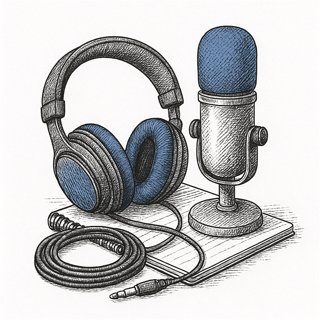
Record clean audio
Get clean voice audio from the gear they already own. Room, mic distance, levels, and a cleanup pass in Audacity. Use when they say "my audio sounds bad", "how do I record my voice", or before any recording session.
Use this skill. Nothing to install.
Don't have an agent? · Raw file: skills/record-clean-audio.md
Watch the first two minutes
This is how a session goes, including the worry nobody says out loud. Click through it.
Scripted example of a real session.
Don't I need to buy a microphone?
No, and this is the point of the skill. Most bad recordings are bad rooms: hard walls, running fans, a mic at laptop distance. Fix those three things, which cost nothing, and a phone's bottom mic at a hand-span produces audio most listeners will call professional. The skill runs the whole setup with you: the clap test to pick the room, a duvet over a chair if the room needs deadening, a real level check on your actual first lines, and a cleanup pass in Audacity, which is free on every platform. The session ends with a genuine take of something you need, exported, because a test recording you never use teaches you nothing.
What you end up with
A clean exported take plus the session sheet that made it, so you can repeat the setup alone next time.
- The room did most of the work. Everything in the setup block is free, and it removes more noise than any plugin applied afterward.
- Order matters. Noise reduction needs the room tone first, and aggressive settings sound underwater, so the skill starts gentle and listens back with you.
- Two exports on purpose. WAV feeds further editing without quality loss; MP3 goes anywhere directly. The project file means the next fix takes minutes.
Questions people actually ask
Do I really not need any equipment?
Really. A phone or wired earbuds with an inline mic, plus a quiet soft room, produces a usable result. The skill is built around the gear you already own, and it will not suggest purchases.
Why do I hate the sound of my own voice?
You normally hear your voice partly through bone conduction in your own head, which adds depth a recording does not have. The recorded version is the one everyone else has always heard. It fades with exposure, and clean audio makes it fade faster.
What is room tone and why record it?
Ten seconds of "silence" recorded in position. Audacity's Noise Reduction learns the room's background hiss and hum from that clip, then subtracts it from the whole take. Without it, the cleanup pass has nothing to work from.
Can you fix a recording I already made?
Partly. If it contains a stretch of silence, noise reduction can pull out steady background hum. Echo from a hard room is baked in, though, and re-recording in a treated spot is usually faster than fighting it.
What settings do I export with?
WAV for anything you will edit further, MP3 at 192 kbps or higher for anything going straight out, and Loudness Normalization to about −16 LUFS first, a standard spoken-word level that sounds right on phones.
Where to go from here
This skill is the audio floor for everything else you record:
Need something worth recording? These projects are built on a voice and a phone:

Curious? Read the full skill — the exact instructions your agent gets
---
name: record-clean-audio
category: media
description: Get clean voice audio from the gear they already own. Room, mic distance, levels, and a cleanup pass in Audacity. Use when they say "my audio sounds bad", "how do I record my voice", or before any recording session.
---

# record-clean-audio

Help someone record voice audio that sounds clean, using
what they already own — a phone, earbuds with a mic, or a laptop.
No purchase is required for a usable result. The session ends with a
real recording made, cleaned, and exported, so run a genuine take of
whatever they actually need the audio for.

## The room beats the mic

Most bad recordings are bad rooms, not bad mics. Before touching
settings:

- Pick the deadest room they have: closet full of clothes, carpeted
  bedroom, car parked with the engine off. Avoid kitchens, bathrooms,
  and any room that echoes when they clap once. Do the clap test
  together.
- Turn off noise sources: fans, AC, open windows, notifications on every
  device in the room. Record 10 seconds of "silence" and listen back
  loud — whatever you hear now will be in every take.
- Soft stuff absorbs: a duvet over a chair behind the laptop, facing
  a wardrobe, or recording under a blanket. Judge the setup by the test audio.

## Mic and levels

- Distance: a hand-span from mouth to mic (15–20 cm). Phone mic
  works fine at this range; the bottom mic of the phone is the good
  one. Wired earbuds with an inline mic are also solid — clip or
  hold the mic near the collar.
- Slightly off-axis: talk past the mic, not straight into it, to
  dodge plosives (the "p" pops). No pop filter needed at an angle.
- Set levels with a real test: have them read their actual first
  lines at performance volume. Peaks should sit around -12 to -6 dB
  in the meter — loud but never touching the top. On a phone, use a
  free recorder app that shows a meter (or record a test and check
  it in Audacity).
- Record a room-tone clip: 10 seconds of silence in position. The
  cleanup pass needs it.

## Cleanup in Audacity

Audacity is free on every platform. Import the recording, then in
this order:

1. Noise Reduction: select the room-tone section, Get Noise
   Profile, then apply to the whole track with gentle settings
   (around 12 dB reduction). Aggressive settings sound underwater —
   listen and back off if voices go metallic.
2. Cut the mistakes: false starts, long gaps, mouth noises. Keep
   natural pauses.
3. Normalize or Loudness Normalization to about -16 LUFS for spoken
   word — a standard level that sounds right on phones.
4. Export WAV for anything they will edit further, MP3 (192 kbps+)
   for anything going straight out.

## Done

- A real take of their actual content, recorded in the treated spot
- Before/after comparison played back — they hear what the room and
  the cleanup each did
- Exported file saved somewhere they can find it, plus the Audacity
  project if more editing is coming

This skill feeds podcast-episode, video-resume, and
screen-recording-tutorial — the audio bar is the same everywhere.