Skills / Poster or flyer
Poster or flyer
Design a print-ready poster for a real event. Layout, hierarchy, print specs, and the final PDF. Use when they say "make a poster", "flyer for our event", or need something printed for a club or show.
Use this skill. Nothing to install.
Don't have an agent? · Raw file: skills/poster-or-flyer.md
Watch the first two minutes
This is how a session goes, including the argument about decoration. Click through it.
Scripted example of a real session.
Won't plain type look boring?
On screen, up close, maybe. On a wall, from ten feet, by someone walking past, big plain type is the loud option. A poster gets about one second of a stranger's attention, and everything competing with the key line spends that second for you. The skill still gives you the choice: it proposes two rough layouts with a one-line trade-off each, and the thumbnail test settles the argument with evidence instead of opinion. Your pick wins, and only the winner gets refined.
What you end up with
A PDF that prints correctly, and the poster actually up on the wall. Here is the finished flyer, described exactly as it prints.
- Three reading distances, three sizes. The hook is huge, the facts are medium, the detail is small. That order is the entire design.
- Date and place get the second-loudest slot. A curious passerby needs exactly these two lines to show up.
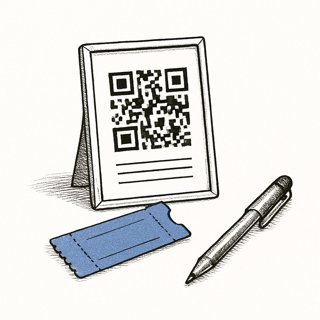
- The QR earns its space. It links to a real signup page and was tested by scanning the printed sheet, since screens scan more easily than paper.
- Specs stated so it reprints correctly. Anyone on the club can send this file to any printer next term and get the same flyer.
Questions people actually ask
Is this free?
The skill is free, no account, no catch. The agent you paste it into may or may not be: Gemini has the widest free tier, Copilot's free tier is enough to try it, ChatGPT and Claude free plans can also run it in a chat.
Do I need Canva or Figma?
No. The default build is one HTML page sized to the real sheet, exported by print-to-PDF with fonts embedded. If you'd rather work on a canvas, Figma or Canva free tiers both work; the skill uses whichever one you will be able to edit again later.
What size should I make it?
A4 or US Letter for flyers, A3 or 11x17 for posters, and the skill works at the real print size from the first draft. Designing at one size and scaling to another is where soft images and broken margins come from.
Can a print shop print it?
Yes. For a shop the skill adds 3mm bleed and keeps images at 300 DPI at print size; for a home or school printer, no bleed is needed. Either way the export is a PDF with fonts embedded, and one test page gets printed and checked before any bulk run.
Why insist on a printed test page?
Because paper is the medium and the screen is only a preview. The test page catches soft images, ink-heavy backgrounds, and type that is smaller than it looked, and the skill has you proofread the key facts out loud from the print, at distance, before you pay for fifty copies.
Where to go from here
The poster usually points at something. Build the something:
Make the next poster take ten minutes:
Curious? Read the full skill — the exact instructions your agent gets
---
name: poster-or-flyer
category: design
description: Design a print-ready poster for a real event. Layout, hierarchy, print specs, and the final PDF. Use when they say "make a poster", "flyer for our event", or need something printed for a club or show.
---

# poster-or-flyer

Make a poster with someone for a real event — a club
meeting, show, tournament, bake sale. It gets read from ten feet
away by someone walking past, so comprehension depends on hierarchy. The
deliverable is a PDF that prints correctly, plus the poster actually
sent to print or taped to a wall.

## Get the facts first

Collect the real content before any layout: event name, date, time,
place, cost if any, one line on why someone should come, and where
to learn more (URL or QR). Confirm every fact — a beautiful poster
with last year's date is worthless. If they have a logo or brand
kit, get it now.

## Layout

Work in the real print size from the start (A4 or US Letter for
flyers, A3/11x17 for posters). Build it as one HTML page sized to
the sheet, or in Figma/Canva free tier if they prefer a canvas —
whichever they can edit later.

- Hierarchy is the whole game: the one thing readable from across a
  room is usually the event name or a hook line. Make it huge —
  bigger than feels safe. Date and place next. Everything else
  small.
- One font family, two weights. One accent color plus black and
  white, or the brand kit if one exists. Paper is the background;
  let it show — full-bleed color costs ink and rarely helps.
- Align to one or two hard edges. The empty space is what makes the
  big type land; resist filling it.
- Test at distance: shrink to thumbnail on screen. If the key line
  is not legible in the thumbnail, it fails in the hallway.

Propose two rough layouts (for example, giant-type-only vs image-led
if they have a real photo they own). One-line trade-off each, their
pick, then refine only the winner.

## Print specs

Explain each spec in one line as you apply it:

- Exact page size with 3mm/0.125in bleed if a print shop is
  involved; no bleed needed for a home or school printer.
- Margins: keep text at least 10mm from the edge.
- Export PDF with fonts embedded (browser print-to-PDF and Figma
  both do this). Images at 300 DPI at print size — a screenshot
  scaled up will look soft; check before committing.
- Print one test page at home or school before any bulk run and
  look at it from ten feet.

## Done

- Final PDF at the correct size, plus the editable source saved
  where they can find it
- One printed test sheet reviewed from a distance, at least the
  key facts proofread out loud from the print
- The file sent to the printer, or copies actually put up

If the event has a sign-up page, offer a QR code linking to it and
verify the QR scans from the printed test. If they will need more
posters later, suggest brand-kit so the next one takes ten minutes.